
An old PC with a few CPU cores, several GBs of RAM, and a working network connection can still be useful long after it stops being suitable for demanding tasks, but Linux can turn that hardware into something that quietly handles useful jobs around your home or small office.
I have left out some of the obvious ways to keep using an old PC and focused on projects that can add something practical to a home network. Some are services you can access every day, while others can quietly handle background tasks for weeks without needing much attention:
PXE boot server
Turn an old PC into a network boot server
A PXE boot server lets computers start operating system installers or complete environments directly from the network. Instead of keeping a USB drive for every Linux distribution you want to install, you can keep the required boot files on one machine and make them available to other systems on your LAN.
Your old PC can run DHCP and TFTP, or work alongside an existing DHCP server, depending on how your network is configured. You can also use HTTP for transferring larger installation files, which makes the server more practical for repeated installations.
Keep Fedora, Ubuntu, Debian, Alpine, and other installers on the server, then select the required environment when a machine starts. You can also use network booting for rescue environments and diagnostic tools. The workload is modest because the machine primarily serves files across the network. An old desktop with a conventional hard drive can handle this role easily, especially when several computers are not booting simultaneously.
Ebooks server
Build your own ebook library

An old PC can become a dedicated ebook server for your collection. Software such as Calibre-Web can provide a browser-based interface to organize books, search your library, manage metadata, and read or download books on other devices. The server does not need a powerful processor because most of the work involves serving “relatively” small files.
This works particularly well for technical books and documentation because the server can hold a large collection without requiring much attention once it is configured. A browser-based library also lets you access the same collection from a laptop, tablet, or phone instead of copying files between devices.
If you already have a NAS, you can store the actual books there and run the application on the old PC. That separates the application from the storage and lets you expand the library without replacing the server.
Self-hosted password manager
Keep your passwords on your own hardware
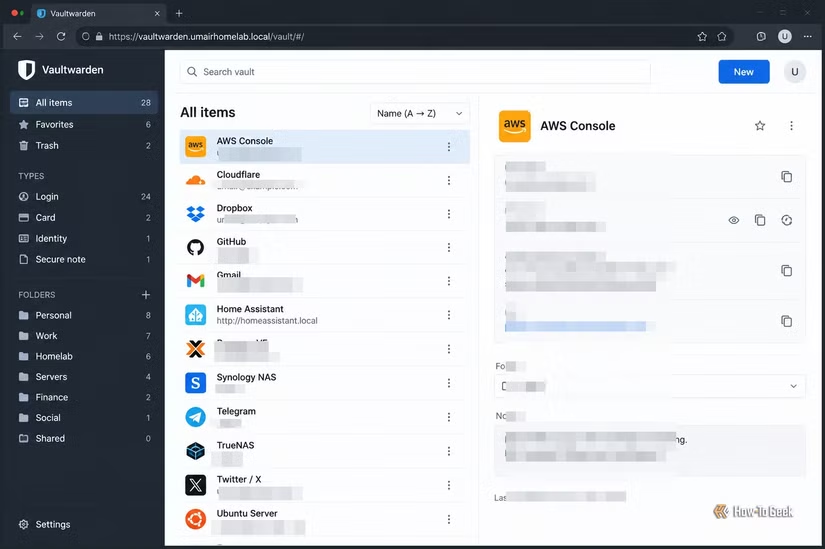
A password manager is another service that can run on modest hardware. Vaultwarden is a lightweight Bitwarden-compatible server that can synchronize passwords and other vault data with supported clients. The computational requirements are small because the server mainly handles authentication, synchronization, and database operations. Even an older computer can manage the workload for a household.
You can run it using the container image and place it behind a reverse proxy such as Caddy or Nginx. For a home-only deployment, keeping the service on your LAN avoids exposing it directly to the public internet. If you need access while traveling, WireGuard provides another option.
The important work here is configuration rather than processing power. Use strong authentication, keep the server updated, protect the database with regular backups, and make sure you have a recovery method if the machine fails. This also gives the old PC a role that benefits from continuous availability. Your phone and desktop can synchronize with the same server while the password database remains under your control.
Local package mirror
Create a local software package archive
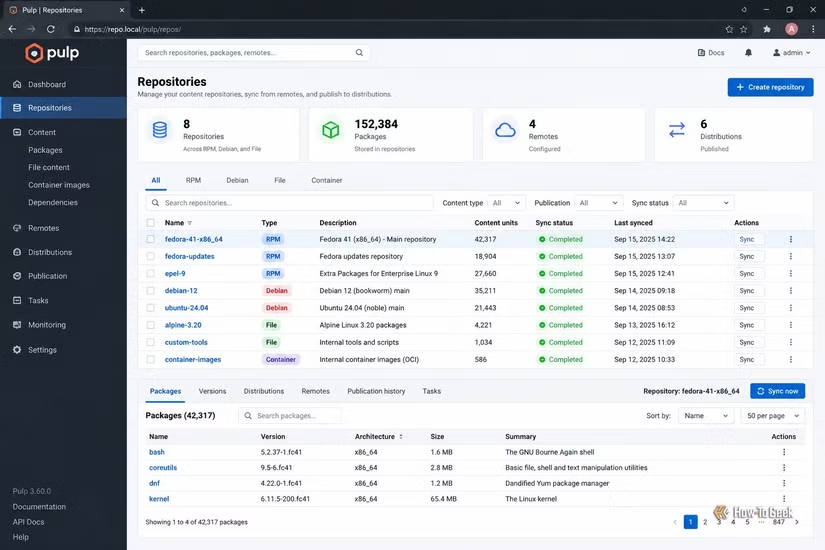
If you maintain several Linux machines, an old PC can save network bandwidth and reduce the time required to install or update software by keeping commonly used packages locally. A package caching or mirroring system can store packages downloaded by your machines. Fedora systems can use tools such as Pulp for more sophisticated repository management, while simpler caching approaches can serve smaller environments.
The value becomes clearer when you regularly reinstall machines or operate several systems running the same distribution. Instead of every computer downloading identical packages from an external repository, the local server can provide packages from inside your network.
You can also maintain a repository containing software your machines depend on. That gives you a controlled archive of particular package versions and makes rebuilding systems more predictable. Storage requirements depend on how many repositories and versions you retain. CPU requirements remain relatively small because the machine spends most of its time storing files and serving them over the network.
Central SSH bastion host
Use an old PC as your SSH gateway
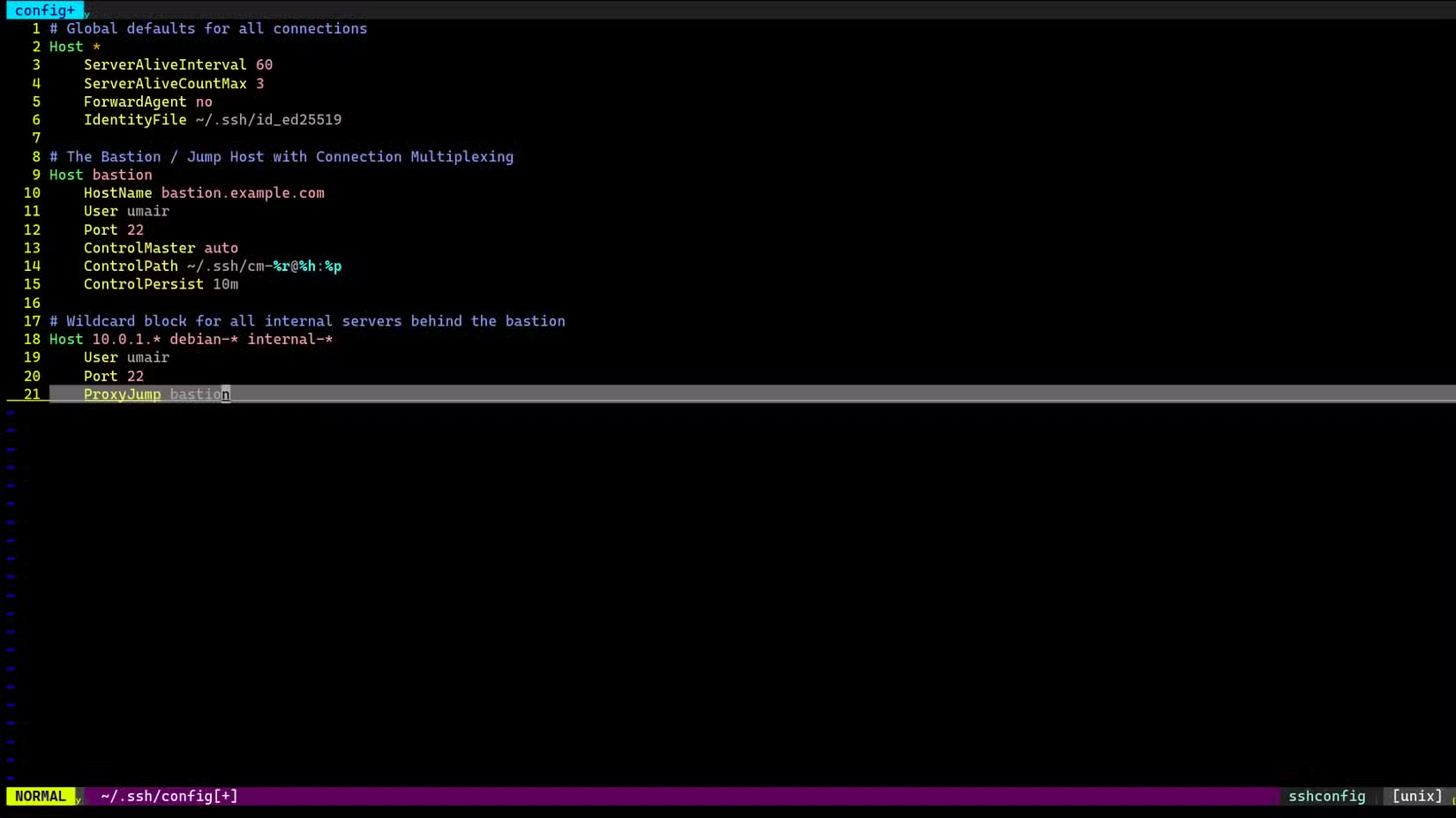
Managing several servers becomes easier when SSH access goes through a single gateway. An old Linux PC can act as a bastion host, giving you one controlled entry point into the rest of your network. OpenSSH already provides the necessary functionality. From your workstation, ProxyJump can send an SSH connection through the bastion to an internal server:
ssh -J bastion internal-server
The internal machines can then remain inaccessible from outside the network. The gateway handles the external connection while the target server only needs to accept SSH traffic from the appropriate internal network. For a larger homelab, this approach gives you a consistent route to virtual machines, physical servers, NAS systems, and other infrastructure.
n8n / Hermes
Turn it into a personal automation machine with n8n
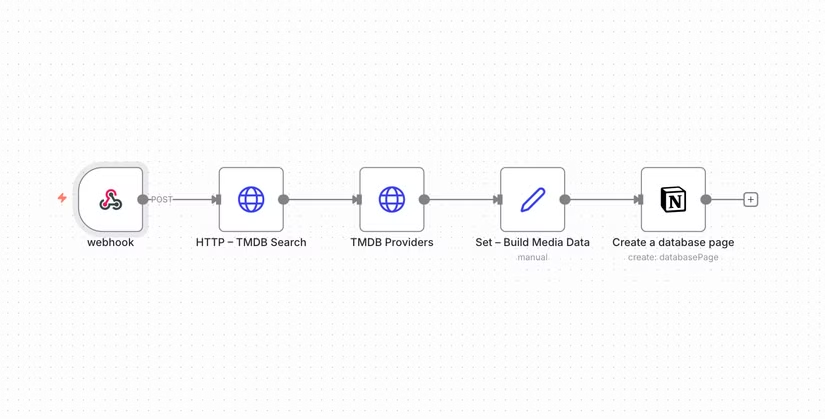
Once the old PC is already running continuously, it can handle jobs that would otherwise depend on your desktop being switched on. n8n provides a visual workflow system for connecting APIs, webhooks, schedules, databases, and notification services.
For example, a n8n workflow can periodically fetch RSS feeds, check a website, process incoming files, call an API, and send the result to Telegram or email. You can also use it to trigger scripts on your local network. Hermes can serve a similar purpose if you want to build more personal automation around a Linux machine.
The main resource requirement depends on what your workflows actually do. Large data-processing jobs can require more RAM and CPU, while simple API-based workflows can run comfortably on older hardware. This makes an old PC a useful small, always-on automation platform. Once it is connected to your network and configured to start its services automatically, it can handle background jobs without occupying your workstation.
Automated backup restoration tester
Make an old PC test whether your backups actually work
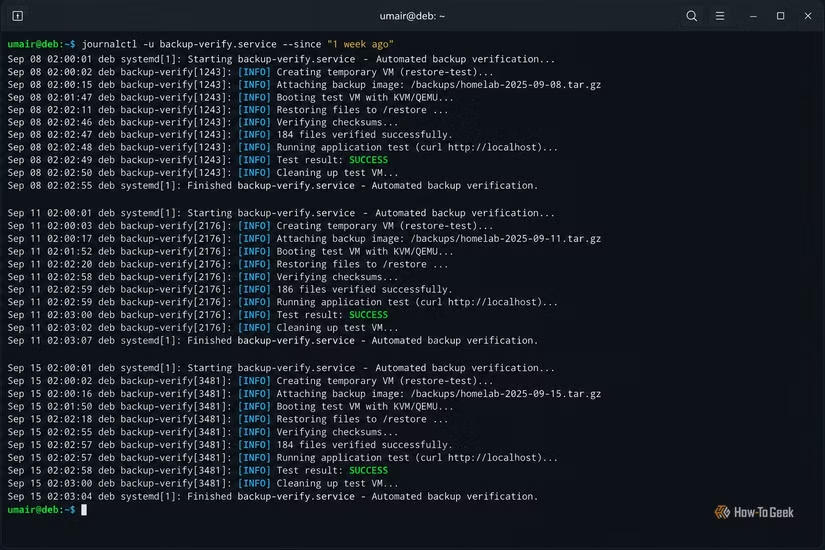
A backup job completing successfully does not prove that you can recover your data. An old PC can periodically restore backups and verify that the resulting files or services actually work.
For file backups, you can use a script to restore a sample dataset to a temporary directory and compare checksums or expected files. For virtual machines, the test server can restore an image and boot it under KVM or QEMU. Tools such as Borg, Restic, rsync, ZFS snapshots, and Proxmox Backup Server each provide different building blocks for this kind of setup. A simple shell or Python script can orchestrate the actual test and report the result.
You can then connect the result to a notification system. If a scheduled restoration fails, the server can send an alert instead of leaving you to discover the problem when you urgently need the backup. The same machine can test different backup sources over time, making it a dedicated recovery-validation system rather than another general-purpose server.
Internet dead man’s switch
Build a kill switch
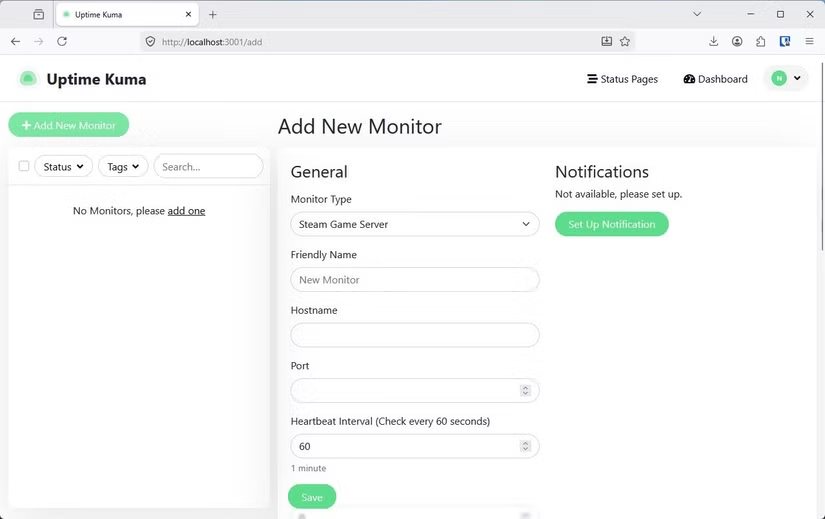
A Linux PC can also watch for regular signals from another device. If those signals stop arriving for a specified period, the server can trigger a predefined notification or workflow. You need to account for ordinary failures such as an internet outage or power loss. A single missed request should not trigger anything important, and you can also use longer timeouts and multiple checks to reduce false alarms.
A simple implementation can use Uptime Kuma, a small HTTP endpoint, or a custom systemd service. Your phone or another computer periodically contacts the server. The server records the last successful heartbeat and acts if the expected check-ins stop. You can also design the project around a specific purpose. Instead of giving the machine permission to perform an irreversible action, have it notify a trusted person or trigger a reversible workflow.
Give that old PC a job
An aging computer does not have to run a demanding desktop environment to remain useful. Linux can turn it into infrastructure that handles a specific task continuously and reliably. Some of these projects also work well together. The same machine can host several lightweight services, or you can dedicate separate old PCs to the jobs where isolation and reliability matter more. Either way, the useful part of the hardware is no longer its ability to run a demanding desktop. It’s that it can stay on, stay connected, and quietly do the job.