
I built a capable gaming PC because I wanted a powerful machine that could run all the latest games in 1440p and 4K. The problem is that I spend most of my day writing, browsing, and doing other miscellaneous tasks rather than gaming.
But after using a mini PC for work over the past couple of weeks, I came to a surprising realization: maybe I was using far more computer than I actually needed for my work.
My gaming PC is massive overkill for the work I do
I built way more PC than I need
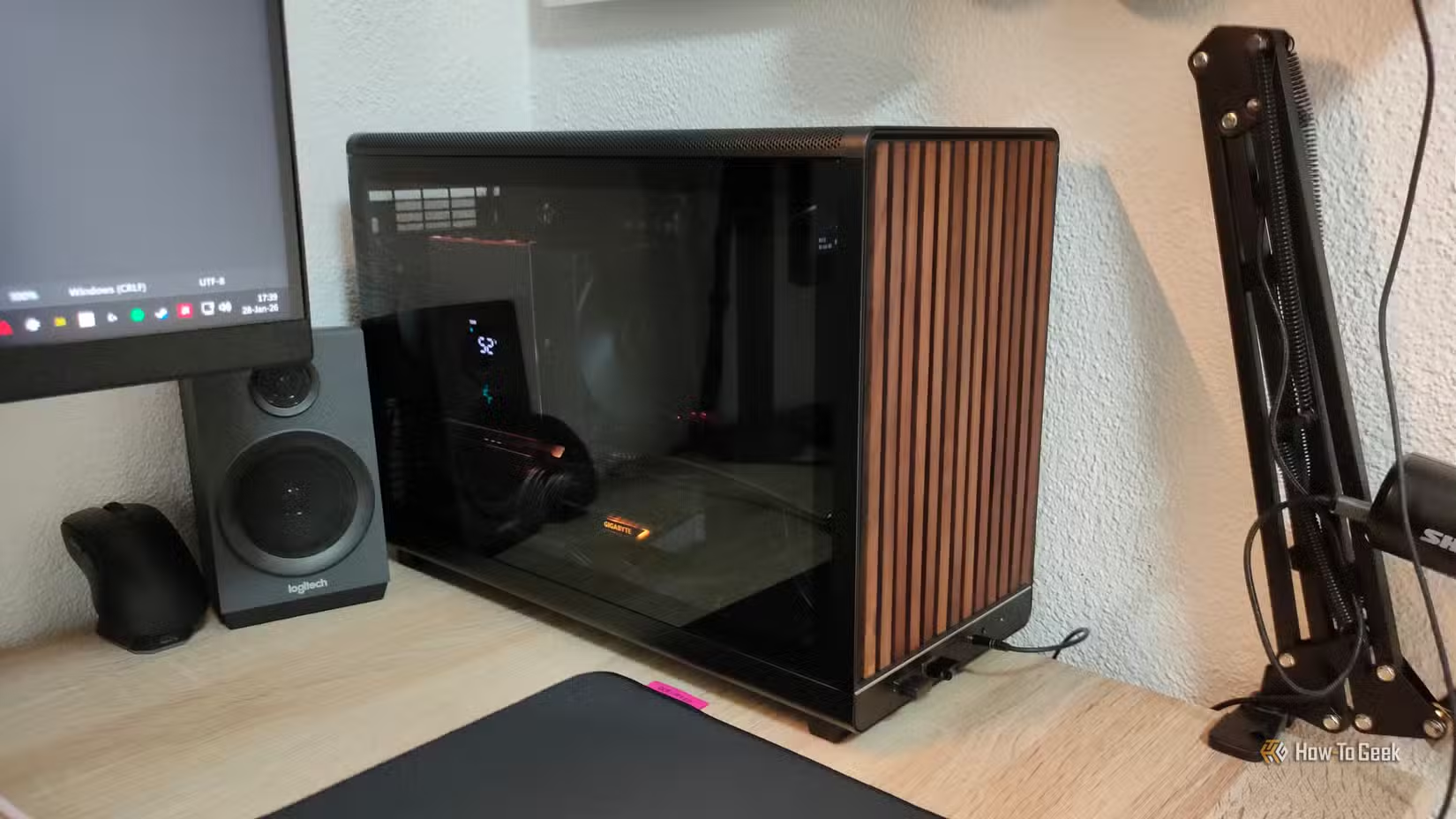
My gaming PC uses a fairly potent combination of an overclocked AMD Ryzen 7 7700, 32GB of DDR5 RAM, and an AMD RX 9070 XT graphics card.
While this might sound like a pretty solid rig for a video editor or someone who does 3D modeling, it’s actually far more powerful than necessary for my typical workload. Most of the time, I just have a few apps open: 4–5 Chrome browser tabs, Obsidian for writing, Slack, Asana, and Spotify. I might use GIMP here and there to edit a photo or open a Word document, but that’s pretty much it.
While I do use a 1440p 240Hz primary monitor and a secondary 1080p 100Hz one, I’m not exactly pushing demanding visual content to either display, so the monitors don’t make much difference to my PC’s workload.
I do need the machine for the times I want to game, though, and fortunately, my desktop PC makes short work of any game I throw at it. The 850W power supply also gives the components plenty of headroom when I’m pushing them to their limits.
I’m completely fine with this when I’m gaming — I want my machine to use as much power as it needs. The GPU regularly draws around 330W under load, while the CPU can reach around 90W, for a total system power draw north of 400W.
Like with so many other things in life, an inherent trade-off that tends to follow these beefy components is that they aren’t always the most power-efficient.
The massive power draw made me question why I was running my desktop all day
My desktop was wasting power and heating up my room

I recently left HWiNFO running throughout my workday, including some idle time while I was taking short breaks, and found that my CPU averaged 43W, with a minimum power draw of 30W.
That’s surprisingly high, but after doing some research, I learned that it’s normal behavior for AMD’s chiplet-based CPUs, as the I/O die stays active even at 0% load.
It was a similar story with the graphics card. It doesn’t need much power to run the Windows interface and a few basic apps, but it still averaged 26W throughout the day. With my usual apps open and me actually working, however, I saw a more realistic and steady power draw of around 40W.
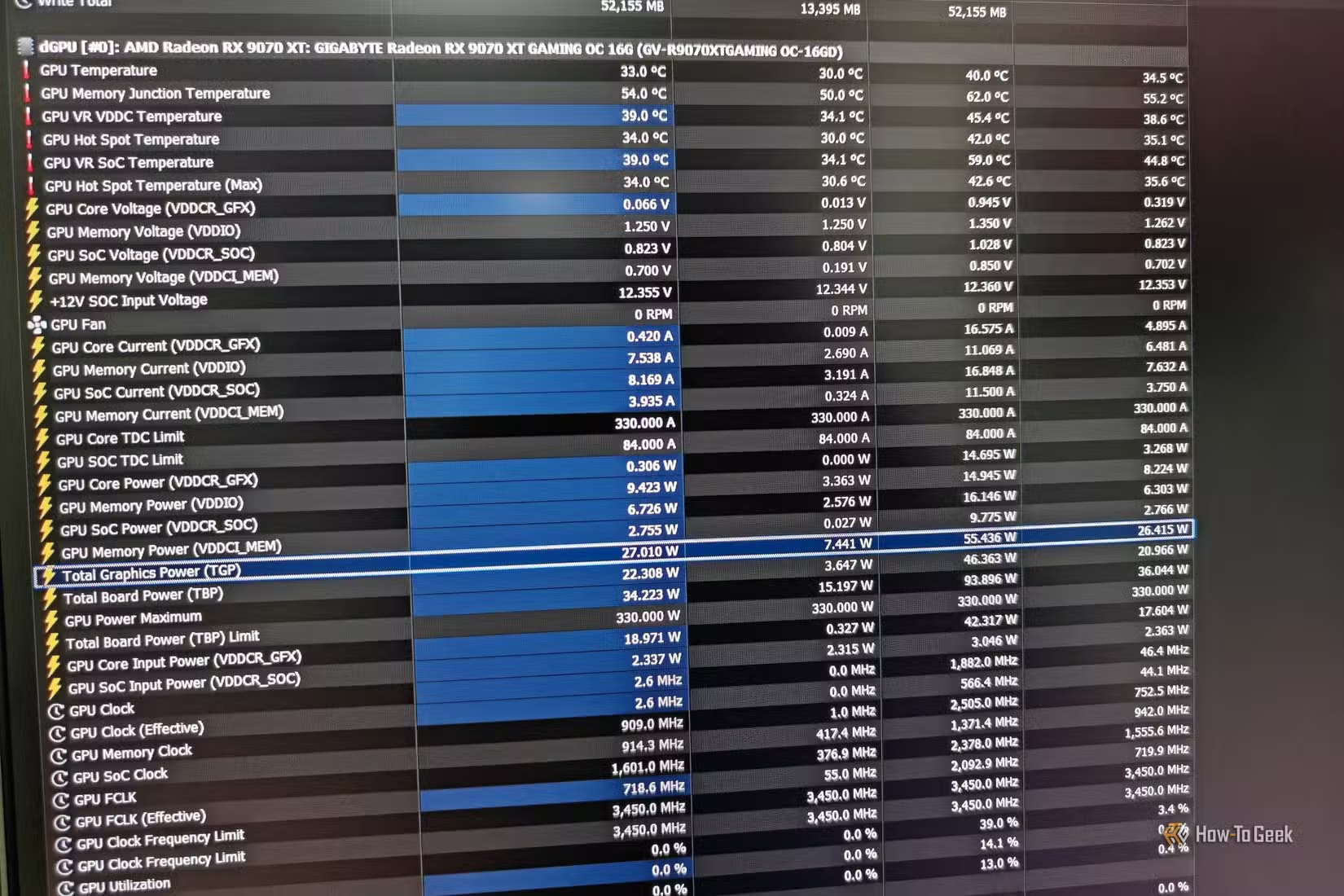
That puts the CPU and GPU alone at around 80W, before accounting for the RAM, motherboard, case fans, and PSU losses. The total system draw is likely closer to 100W, but without a watt meter at hand, I’ll just stick to the two components that consume the most power.
The worst part is the heat output throughout the day, though. All this energy has nowhere to go, and it eventually ends up being converted into heat that warms up my room, which is already incredibly hot in the summer to begin with. We’re talking about roughly 0.6kWh of energy over the course of a workday, which is equivalent to running a small space heater for a full hour.
A mini PC can get the job done with barely any power
It barely breaks a sweat
Mini PCs have become pretty popular over the past few years. They promise to replace the functionality of a traditional tower in a much smaller, portable package using laptop-style components.
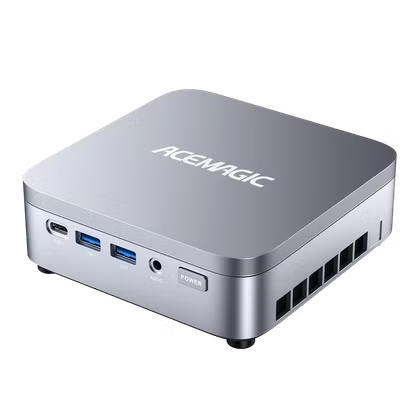
After receiving a review unit of the Acemagic K5 mini PC, I was initially skeptical about how it could replace my powerful gaming rig for my daily work. However, it turned out to be far more capable than I expected.
- Brand
-
Acemagic
- CPU
-
Intel Core 3 304
The Intel Core 3 304-powered Acemagic K5 packs surprisingly capable everyday performance, rich I/O, and a dedicated AI NPU into a tiny, affordable desktop.
After plugging my monitors into this mini PC with the Intel Core 3 304 and 12GB of LPDDR5 RAM and setting up my work apps, I was shocked by how little I missed my gaming PC.
You would think that a CPU with one performance core and four low-power efficient cores would be no match for an 8-core, 16-thread machine, but the difference turned out to be much smaller than I expected.
I’m fairly sensitive to even the smallest amount of stutter or lag, especially when it comes to basic tasks like opening browser tabs and browsing files on my system. While I could notice that my desktop PC was ever so slightly faster, especially as browser tabs piled up, it was nowhere near the difference I expected. I can’t even call it a downgrade because the difference is that hard to notice.
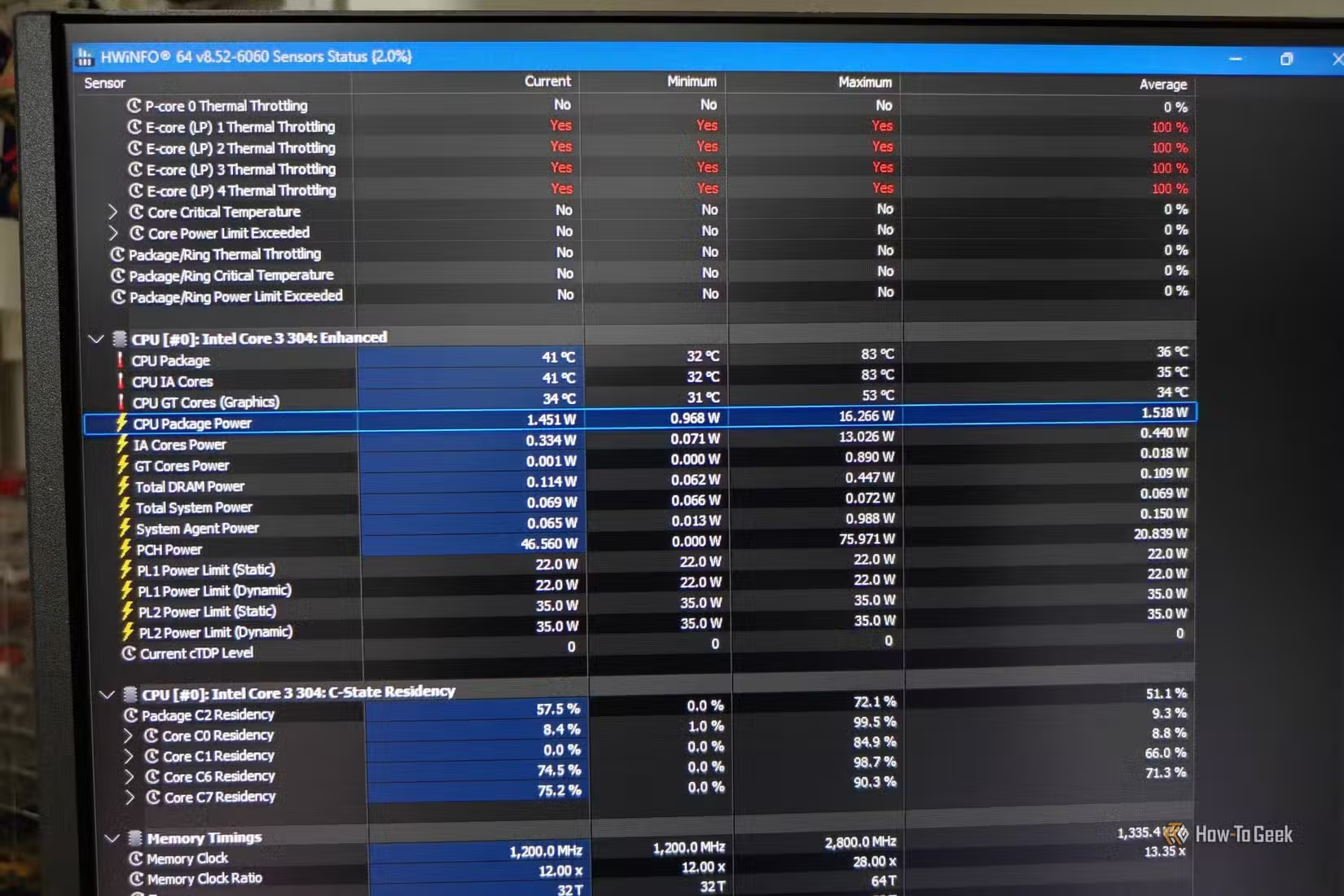
The difference I did notice was the massive gap in power draw. The Intel Core 3 304 has a processor base power of 15W, with a maximum turbo power of 35W. In my use, it never exceeded 16W, and it only drew around 10W during my typical workload. At idle, it drops to less than a single watt. And since there’s no dedicated GPU, that’s one less thing drawing power.
Here’s a comparison table showing just how big the difference in power draw is, along with an estimate of how much power is being saved (and I’ll even assume a generous 15W draw from the mini PC):
|
Scenario |
Desktop PC |
Acemagic K5 |
Difference |
Power saved |
|---|---|---|---|---|
|
Idle |
37W |
1W |
36W |
97% |
|
Typical work |
~83W |
~15W |
~68W |
~82% |
|
8-hour workday |
~0.66kWh |
~0.12kWh |
~0.54kWh |
~82% |
We’re talking about a difference of 0.54kWh every workday, and probably even more if the PC is left running during breaks.
Assuming 22 workdays per month, that’s around 11.88kWh per month or 142.56kWh per year. At the current residential electricity rate of 18.34 cents per kWh, that’s about $26 a year in extra electricity, along with all the additional heat that ends up in the room.
Granted, $26 a year doesn’t make a huge difference, but It’s still wasting money on extra processing power when I don’t really need it.
This mini PC won’t completely replace my gaming PC, but it could replace your office PC
The Acemagic K5’s Intel Core 3 304 surprised me with how well it handles my workload, despite having just 5 threads. Of course, this machine has nowhere near enough raw power to handle the latest games, so it won’t be replacing my gaming rig anytime soon.
That being said, I was surprised by just how little I missed my powerful machine for everyday work, while being far more efficient and not heating up my room nearly as much. If you need a basic desktop PC that barely draws any power and also happens to be small enough to bring anywhere, a mini PC like the Acemagic K5 is definitely worth considering.