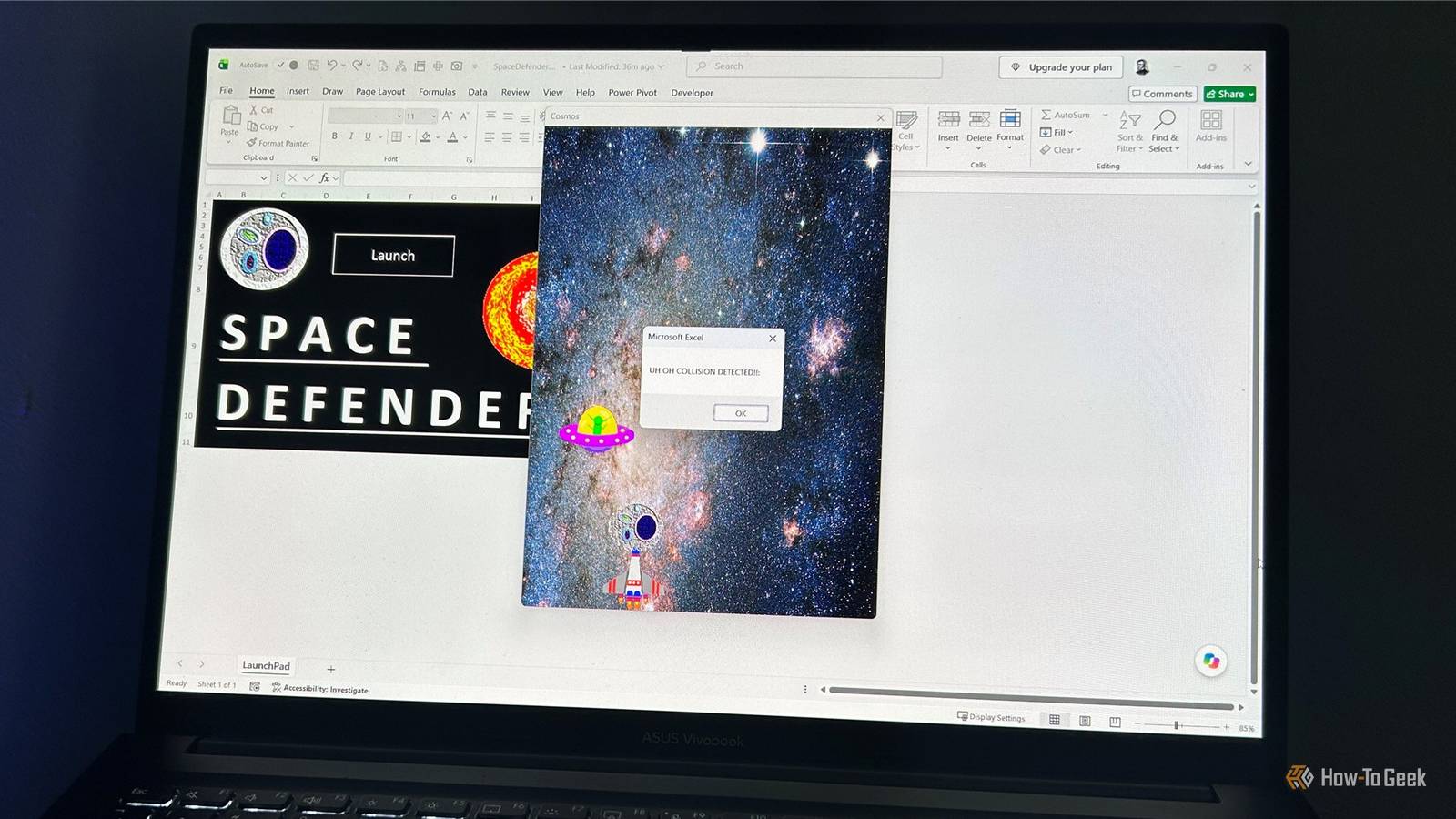
I’ve always liked the fact that older versions of Excel had hidden games tucked away inside them. Microsoft stopped doing that years ago, but Excel users never completely stopped having fun with spreadsheets. I recently found an open-source Space Invaders-style game that runs entirely inside Excel.
Excel used to hide games in plain sight
But the Easter eggs eventually disappeared
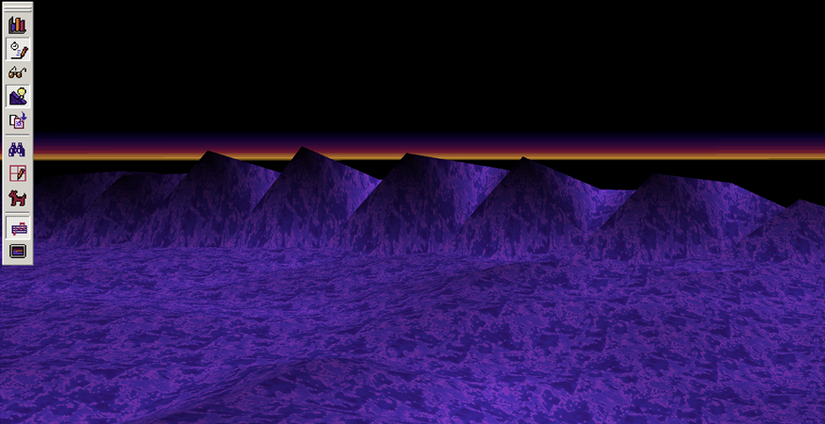
Microsoft snuck some genuinely unexpected games into older versions of Excel. Excel 95 had the Hall of Tortured Souls, a Doom-style 3D maze, Excel 97 had a flight simulator (pictured above), and Excel 2000 had a driving game called Dev Hunter.
But that tradition didn’t last. In 2002, Bill Gates told Microsoft employees that Trustworthy Computing had become the company’s highest priority, with a particular focus on security and reliability. Around the same time, newer versions of Excel stopped shipping with these kinds of hidden games. This meant we lost the intrigue and excitement of discovering that the spreadsheet program we use for budgets and reports contains an entirely unnecessary video game.
Microsoft isn’t the only company to have turned a spreadsheet into a place for games. Back in the 2000s, an OpenOffice Calc Easter egg let you play a Space Invaders clone directly in a spreadsheet. Two decades later, thanks to VBA and someone’s hard work, I found myself doing essentially the same thing in Excel.
Play “Space Defenders” in Excel
Turn your spreadsheet into an arcade machine

Evanml2030’s Excel-SpaceInvader project on GitHub is an open-source VBA version of the classic arcade game. Download the macro-enabled Space Defenders workbook, open it in desktop Excel, and play directly inside the workbook.
Macro-enabled Excel files can be malicious, so always double-check what you’re opening first. I opened this file in Safe Mode (by holding Ctrl as I opened Excel) and inspected its VBA (Alt+F11) before I played it. For more details, scroll to the Security section below.
It’s much more recognizably Space Invaders than I expected. You move your ship from side to side, fire at the incoming enemies, and try to clear them before they reach you. The controls are simple: use the Left and Right Arrow keys to move and the Spacebar to fire. The game runs inside Excel’s normal window, with the workbook effectively becoming the game screen. When you get hit, you’re greeted with an abrupt “Uh oh, collision detected” alert, and you can click Launch to play again.
On one playthrough, I did encounter a glitch where a falling object suddenly appeared next to my rocket and ended the game. Other than that, though, it worked excellently and played like a proper arcade game.
How to get started
If you’ve read the security information below and are comfortable proceeding, download the XLSM workbook from the project’s GitHub page. In Windows File Explorer, right-click the file and select Properties. On the General tab, look under Security, check Unblock, and click OK.
You’ll also need to enable ActiveX controls in Excel for the game to work. Open a blank workbook, go to File > Options > Trust Center > Trust Center Settings > ActiveX Settings, select the option you want, and click OK. Once that’s done, close the blank workbook, open the Space Defenders workbook, and enable its macros and ActiveX controls if prompted.
Remember to change your ActiveX settings back when you’ve finished playing. This setting applies to Excel generally, rather than just this workbook, so leaving it changed can affect how Excel handles ActiveX controls in other files.
There’s a surprising amount of code behind it
Excel is doing far more than displaying a few pictures
For me, the interesting part was seeing how the game actually works. The VBA handles the game state, movement, enemies, bullets, collisions, timing, and the repeated updates needed to make everything appear to move smoothly.
It uses DoEvents, which allows Excel to process other events while the game is running. Without that, a VBA routine that continually loops through the game would quickly make Excel feel unresponsive.
The project also calls a couple of Windows API functions. GetAsyncKeyState, from user32.dll, is used to detect keyboard input, while QueryPerformanceCounter and QueryPerformanceFrequency, from kernel32.dll, are used for high-resolution timing.
The graphics are handled in an especially Excel-ish way. The game dynamically creates Microsoft Forms Image.1 ActiveX controls and uses them to display the various sprites. In other words, those things flying around the screen aren’t some special Excel game-rendering system. They’re controls being created and manipulated by VBA.
I find that more interesting than the fact that you can play the game itself. Someone has effectively built a small arcade-game framework inside a spreadsheet app.
Security: Opening a macro-enabled file from the web
In this case, I didn’t find anything concerning
Before playing, I inspected the workbook’s VBA to see what it was actually doing. I didn’t find code that launches external programs, makes network requests, reads or deletes files, modifies the Windows registry, or uses obvious code obfuscation. I also didn’t find an automatic Workbook_Open() or Auto_Open() routine.
The Windows API calls I found are used for the game itself: GetAsyncKeyState handles keyboard input, while QueryPerformanceCounter and QueryPerformanceFrequency provide high-resolution timing. The ActiveX controls are used to display the game’s images.
That doesn’t mean you should automatically trust every macro-enabled Excel file you download. It means that, in this particular workbook, I didn’t find anything that appeared to do anything beyond run the game.
Microsoft disables ActiveX controls by default in Microsoft 365 and Office 2024, so you may stumble upon additional security warnings when opening the workbook. That’s another good reason to treat downloaded macro-enabled files with caution.
Excel is a playground
You don’t need to know VBA or build an entire game inside Excel to get creative with it. I’ve used Excel’s humble grid to get creative in some surprisingly different ways, like making pixel art, planning a room, creating a stop-motion animation, designing a board game, and even mapping out a crochet pattern. You just have to stop thinking of Excel as somewhere you only put numbers.