
Earlier this year, Sharge released its original Disk Pro portable SSD and docking station. Now, we have the Disk Pro 2, which is upgraded in every way. Sharge really listened to its users and fixed some of the biggest complaints of the Disk Pro, and that makes this the portable SSD and docking station to beat, I think.

8/10
- Brand
-
Sharge
- Connection
-
USB 3.2 10Gbps
- Ports
-
USB-A 3.0, HDMI 2.1 4K144/8K30, SD/microSD
- USB-C Power Delivery
-
100W input, 80W passthrough
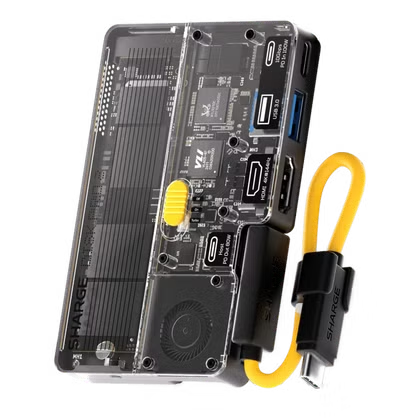
The Sharge Disk Pro 2 is a portable USB-C hub that packs built-in SSD storage. This time around, Sharge opted for a user-replaceable M.2 NVMe drive instead of soldering the storage into the hub. There’s also a removable USB-C cable too, instead of a soldered cable. With more upgrades, like the addition of 4K144 HDMI and SD/microSD slots, this hub is perfect for any on-the-go task.
- User-upgradable M.2 NVMe SSD
- User-replaceable USB-C cable
- SD card slot
- Upgraded 4K144/8K30 HDMI output
- USB-C cable can be lost since it’s not properly attached
- 10Gbps USB-C limits NVMe SSD transfer speeds
Price and Availability
The Sharge Disk Pro 2 Ultra is available for pre-order directly from Sharge starting at $109. Eventually, a Lite version will be offered at a discounted rate, but it hasn’t been released yet.
- Brand
-
Sharge
- Connection
-
USB 3.2 10Gbps
- Ports
-
USB-A 3.0, HDMI 2.1 4K144/8K30, SD/microSD
- USB-C Power Delivery
-
100W input, 80W passthrough
- Price
-
$109
- Maximum display resolution
-
4K144/8K30
The Disk Pro 2 fixes my biggest complaint about the original
Upgradable storage and better port layouts are the Disk Pro 2’s headlining features
When I reviewed the Sharge Disk Pro earlier this year, my one complaint about it was that you couldn’t replace the SSD. Whatever storage size you purchased was the storage size you’d be stuck with.
With the Disk Pro 2, Sharge fixed that very complaint. The Disk Pro 2 is a bit bigger than the Disk Pro, but I’m okay with that because Sharge chose to go with up to 2280 M.2 NVMe drives instead of forcing you to only use smaller ones, making it use the most compatible size around for storage.
This alone would make the Sharge Disk Pro 2 a worthy upgrade, as now you can swap out whatever drive you have with a larger one should you eventually need more storage.
Or, you could buy the Disk Pro 2 without a drive and supply your own, which is a great way to save money if you already have an NVMe drive sitting around.
The redesigned hub gains more than it loses
A new port layout highlights the hub’s usefulness
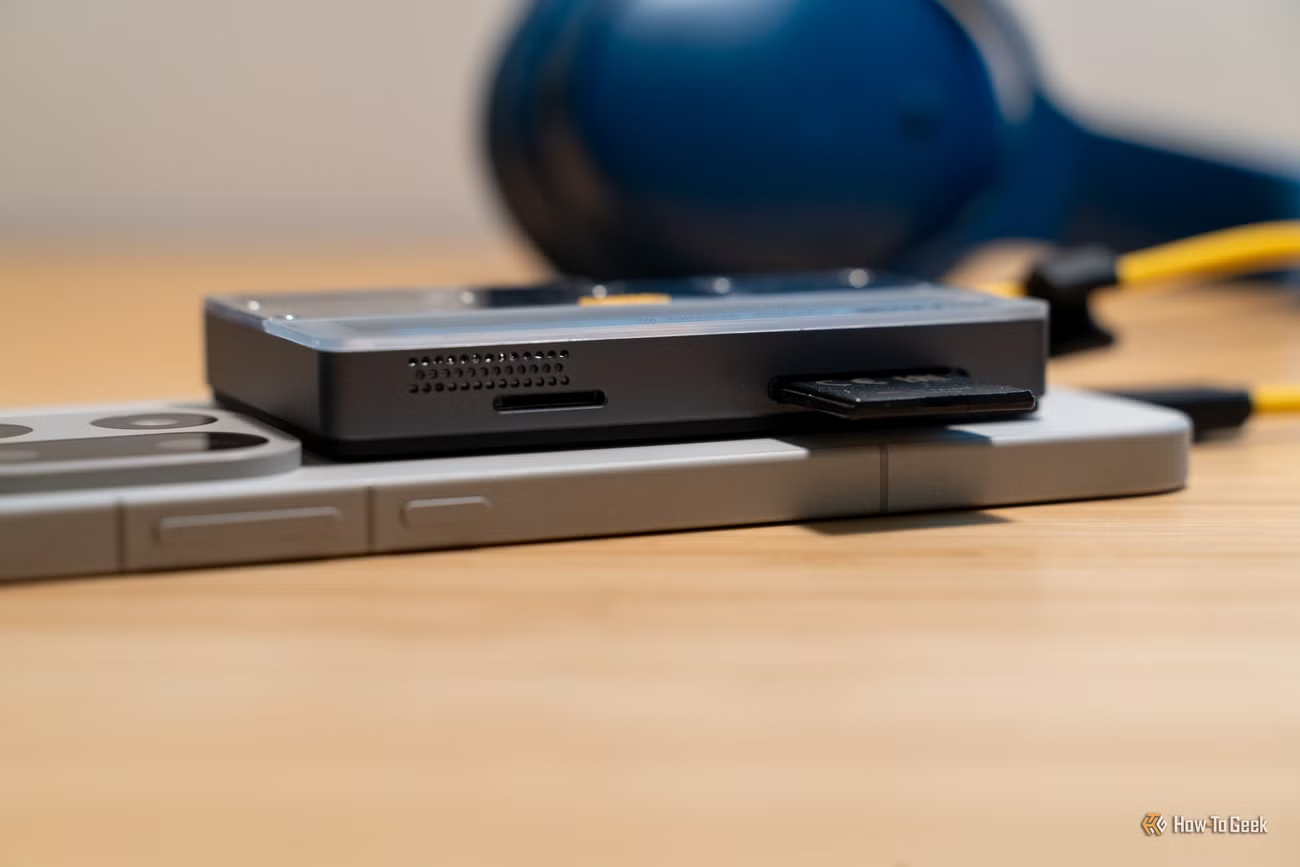
On the original Disk Pro, I was already fairly happy with the port layout. A 4K60 HDMI port, two USB-A ports, and charging passthrough made it quite the useful little hub to keep in my laptop bag for extra storage and ports.
However, the Sharge Disk Pro 2 takes that to another level. It does drop the USB-A 2.0 port, which I’m fine with, as it’s rare that I need more than one USB-A port, and I definitely don’t need a 2.0 port.
In its place, it gains both SD and microSD card slots, and the Ultra version of the Disk Pro 2 gains HDMI 2.1, enabling 4K144 and 8K30 HDMI output.
These upgrades, combined with the ability to replace the SSD, just made the Sharge Disk Pro 2 my go-to portable docking station to travel with. I was already bringing the Disk Pro with me everywhere I went, but I also had to bring a USB-C to SD adapter for offloading photos and such if I didn’t have my MacBook Pro with me.
Now, the Disk Pro 2 enables a seamless workflow. I can simply plug it into my laptop or smartphone and move data at nearly 1GB/s speeds with 2TB of storage (as that’s the size drive I have in mine). Then, after a photo shoot, I can import the footage from the SD card to my smartphone or tablet without having to break out another adapter.
Performance is still limited by 10Gbps USB
A PCIe 3.0 drive will be more than enough
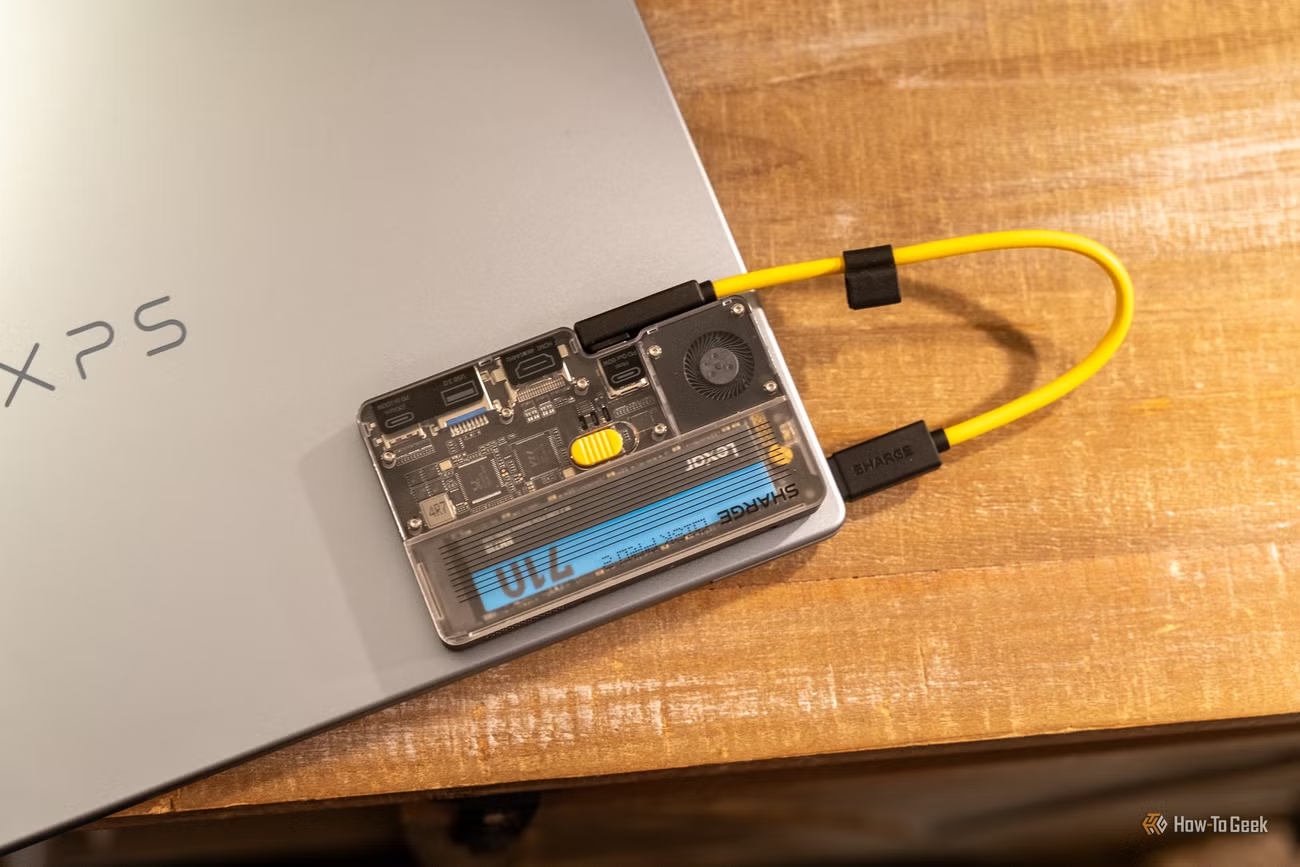
I completely understand why Sharge went with a 10Gbps USB-C connection on the Disk Pro 2 — 20Gbps is supported by very few devices, and USB4 would have increased the price substantially.
As such, there’s really no need for high-end NVMe drives in the Disk Pro 2. A PCIe 3.0 NVMe drive is still much faster than the USB connection can handle. In my testing, while using a PCIe 4.0 drive, I saw transfer speeds of around 900MB/s write and 800MB/s read on average.
This is still blistering fast for a mobile drive, and is twice as fast as SATA SSDs can transfer data at. It’s also fast enough to edit 4K video directly, making it extremely capable for a mobile editing workstation.
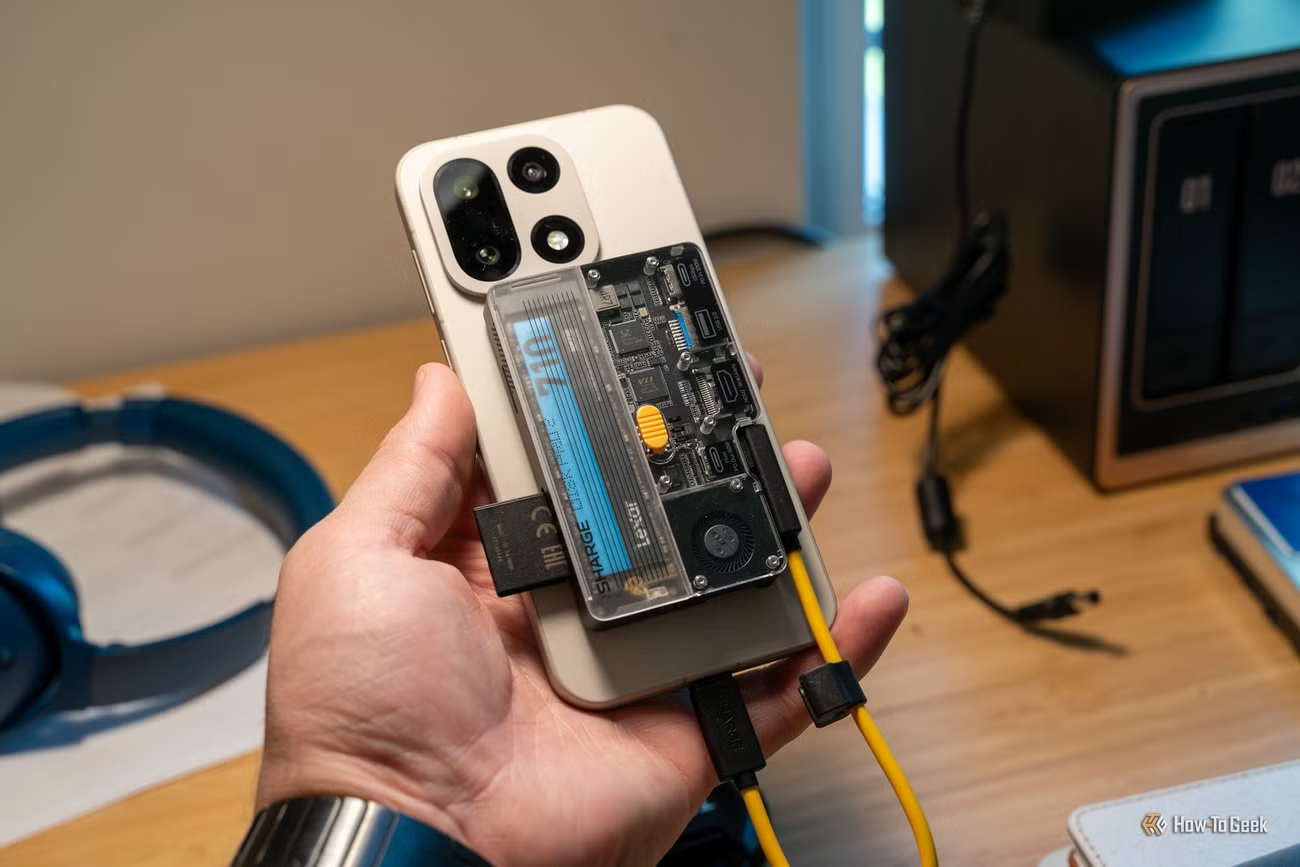
One of the highlighting features of the Disk Pro 2 is the fact that it supports MagSafe, and it even ships with a magnetic ring if you want to attach it to a device that isn’t natively supported by MagSafe.
Sharge demos using the Disk Pro 2 magnetically attached to the back of a phone while recording video, and it would be fantastic for that. The three cooling modes will also ensure the Disk Pro 2 doesn’t overheat.
Plus, it has 80W charging passthrough (when provided with 100W input), so you can charge your phone, tablet, or laptop while it’s connected and still enjoy the storage and other features this dock offers.
The detachable cable improves portability — or introduces a new annoyance
This is one product where I personally prefer an attached cable
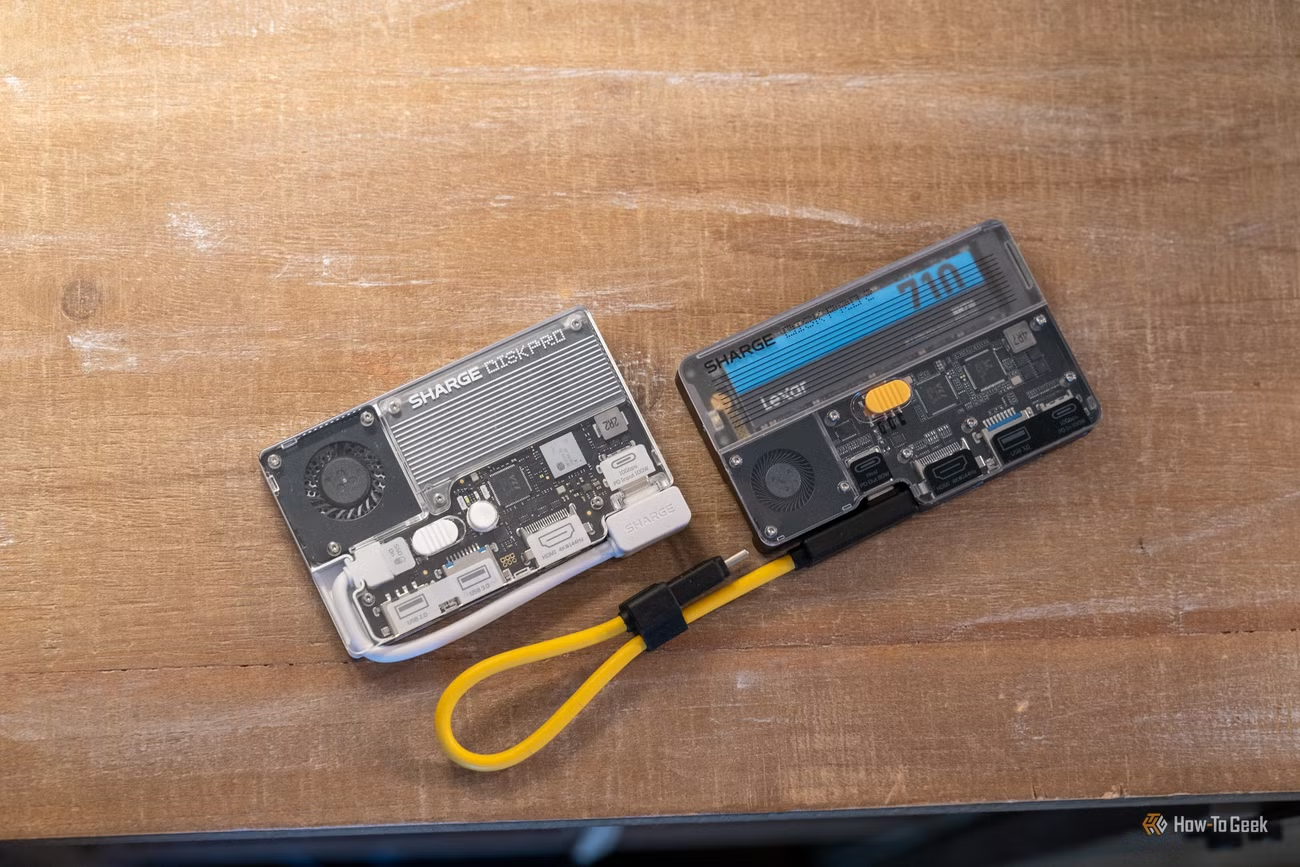
The original Sharge Disk Pro had a soldered USB-C cable, which I was a bit annoyed with at first. However, I grew to like the fact that I never had to keep up with a cable for it; it was just always there and ready to use.
The Disk Pro 2 fixed that, but I’m not sure I like it. I do love that the cable can be replaced now if it gets damaged, which is something that couldn’t happen on the Disk Pro. But it’s also slightly annoying, as the cable could come unplugged from the unit and then you’d be without the cable.
I think Sharge did a great job designing this though as the cable feels like it snaps in very securely and wouldn’t come out all that easily. The only thing I would have liked to see is an optional clip-style latch that would make it nearly impossible for the cable to accidentally come out, since they designed the cable to basically stay in 24/7.
Either way though, more replaceable parts are never a bad thing.
Should you buy the Sharge Disk Pro 2 Ultra?
I think that the Sharge Disk Pro 2 is one of the most versatile portable SSDs on the market. With 4K HDMI output (up to 4K144), both SD and microSD support, and a user-swappable SSD, it’s hard to beat the value it offers.
At a list price of $109, it’s also not that expensive for what it offers. A USB-C dock that supports 4K144 output normally costs $50, and it doesn’t come with the option for built-in storage.
The Disk Pro 2’s headlining feature is its upgradeable storage, and I’m glad Sharge listened to users and fixed that, along with the swappable cable.
So, if you’re in the market for a new portable USB-C hub, I would definitely recommend the Disk Pro 2.
8/10
- Brand
-
Sharge
- Connection
-
USB 3.2 10Gbps
- Ports
-
USB-A 3.0, HDMI 2.1 4K144/8K30, SD/microSD
- USB-C Power Delivery
-
100W input, 80W passthrough
The Sharge Disk Pro 2 is a portable USB-C hub that packs built-in SSD storage. This time around, Sharge opted for a user-replaceable M.2 NVMe drive instead of soldering the storage into the hub. There’s also a removable USB-C cable too, instead of a soldered cable. With more upgrades, like the addition of 4K144 HDMI and SD/microSD slots, this hub is perfect for any on-the-go task.