
A jailbroken Kindle can do a lot more than simply allow you to install better reading software such as KOReader. If you combine a Kindle with a Raspberry Pi, you may be surprised at what even an old Kindle is able to do.
A Raspberry Pi can host your own private eBook library
A self-hosted Calibre-Web server runs great on a Pi
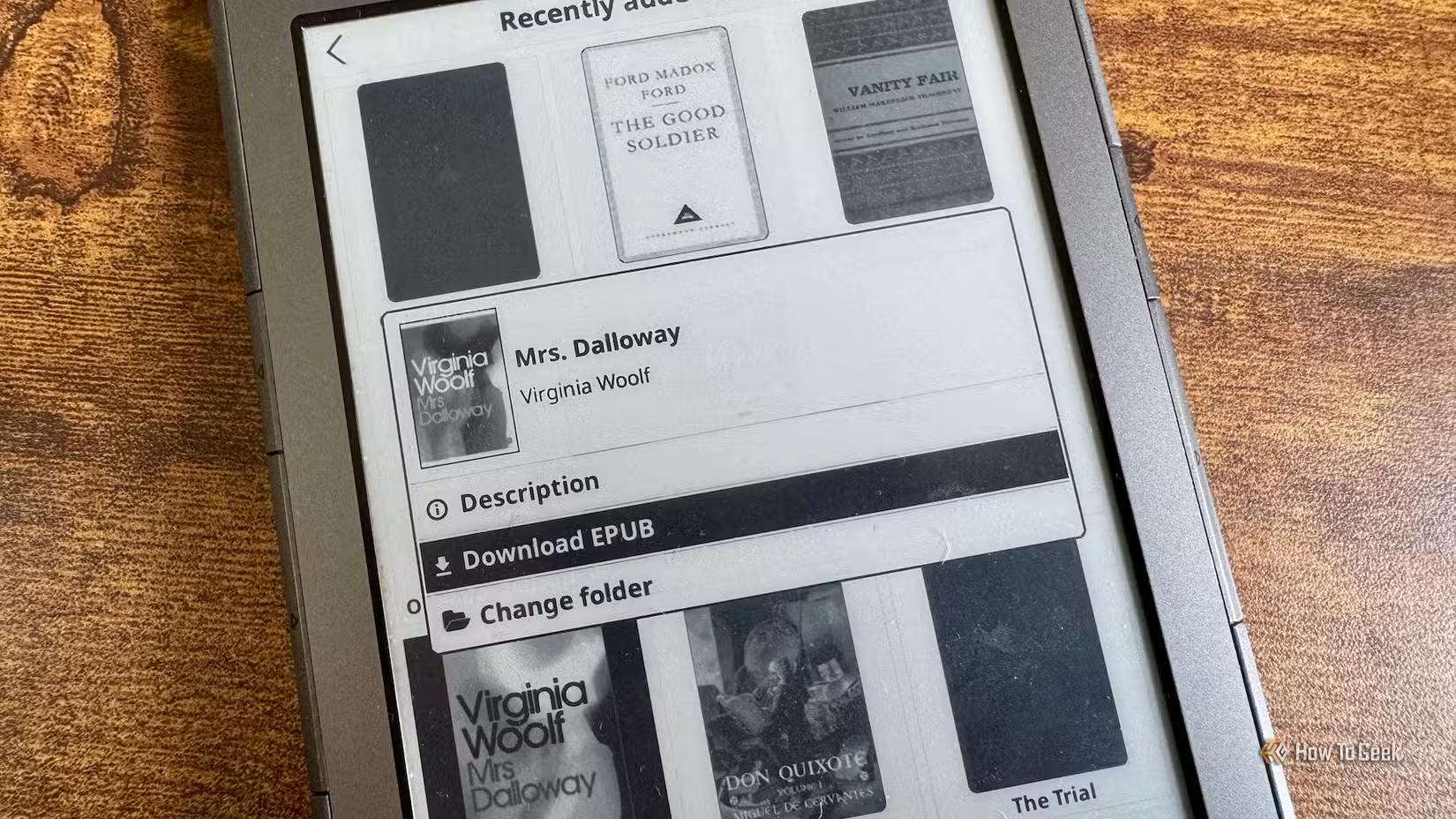
One of the best ways to use a Raspberry Pi with your jailbroken Kindle is to host your own Calibre-Web server. If you’ve jailbroken your eReader to escape the Kindle ecosystem, or Amazon has stopped supporting your device so you can no longer download books from the Kindle store, then you need another way to get books onto your device.
Calibre-Web is an open-source application that allows you to access your eBook library in a browser. You can run it on your Raspberry Pi and share an Open Publication Distribution System (OPDS) catalog that you can browse on your Kindle, effectively replacing your Kindle library.
This means you can store all your eBooks locally on storage connected to your Raspberry Pi without worrying about Amazon deleting them without your permission, as it has done in the past. You can then download books to your Kindle from your Raspberry Pi over Wi-Fi, without emailing eBooks to yourself or physically connecting your Kindle to your Pi.
A Kindle makes a great E-Ink smart home dashboard
See Home Assistant data at a glance
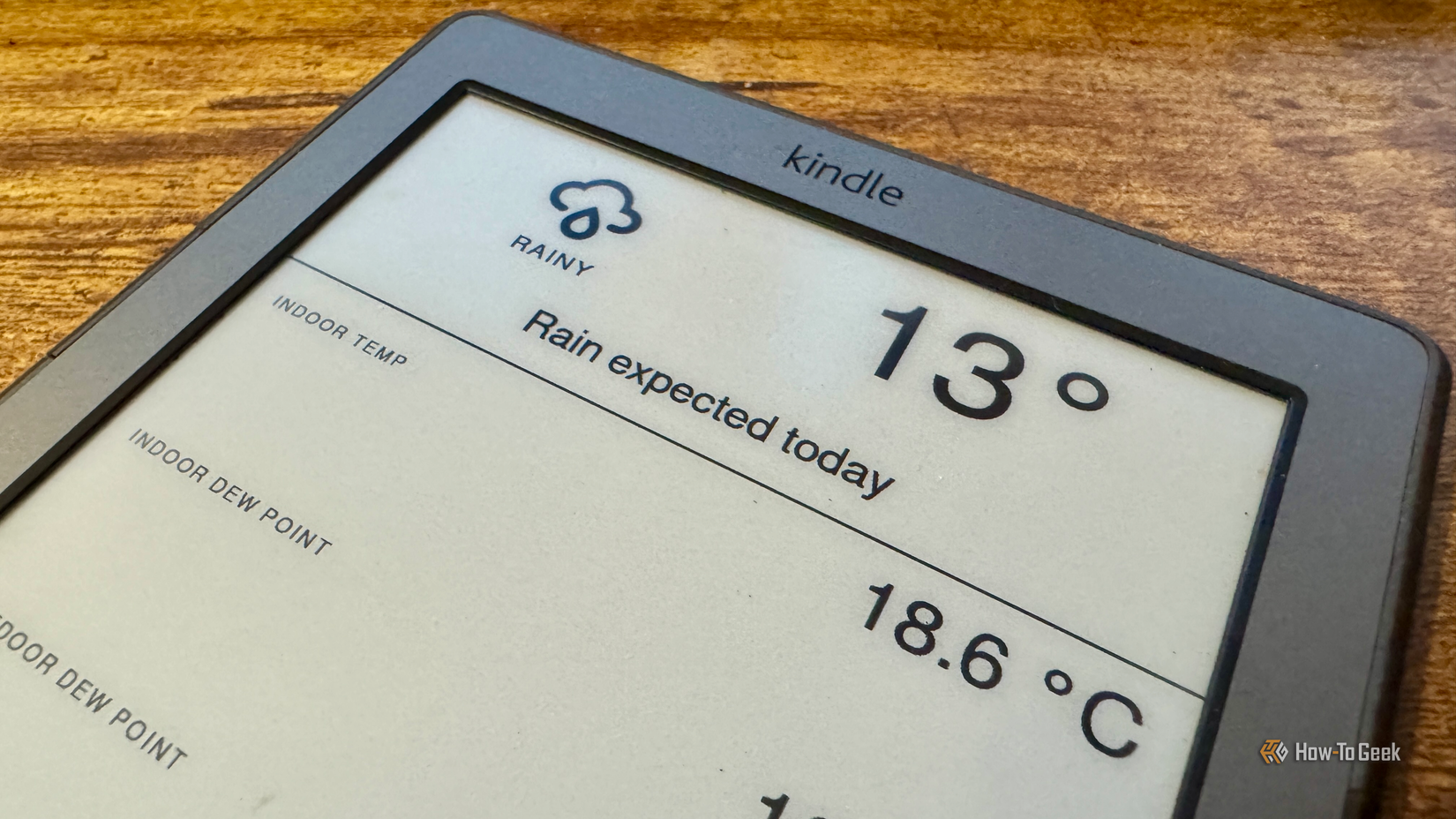
A Raspberry Pi is still a popular way to run Home Assistant, the free, open-source smart home software. I ran Home Assistant on a Raspberry Pi 3B+ for a long time, before upgrading to a mini PC. A Kindle can make a surprisingly useful dashboard for your smart home.
The beauty of using a Kindle is that the E-Ink display doesn’t require continuous power to display a static image. This means that a Kindle can display dashboard data for a long time without being connected to power. If you update the dashboard at reasonable intervals, you can use your Kindle to display it without power for days at a time.
Syncing your reading progress across devices
Your Pi helps you pick up where you left off
I have several eReaders at home, and I use different devices at different times. My Kindle 4 is the device I use to read in bed at the end of the day because it’s the largest and most comfortable of all my eReaders.
I also have an Xteink X3 and an Xteink X4 Classic, both of which are tiny eReaders designed to be carried around with you. I tend to take the X3 out with me since at under four inches, it’s the smallest eReader I own. The slightly larger X4 Classic is the device I use around the house to snatch a few minutes reading here and there throughout the day.
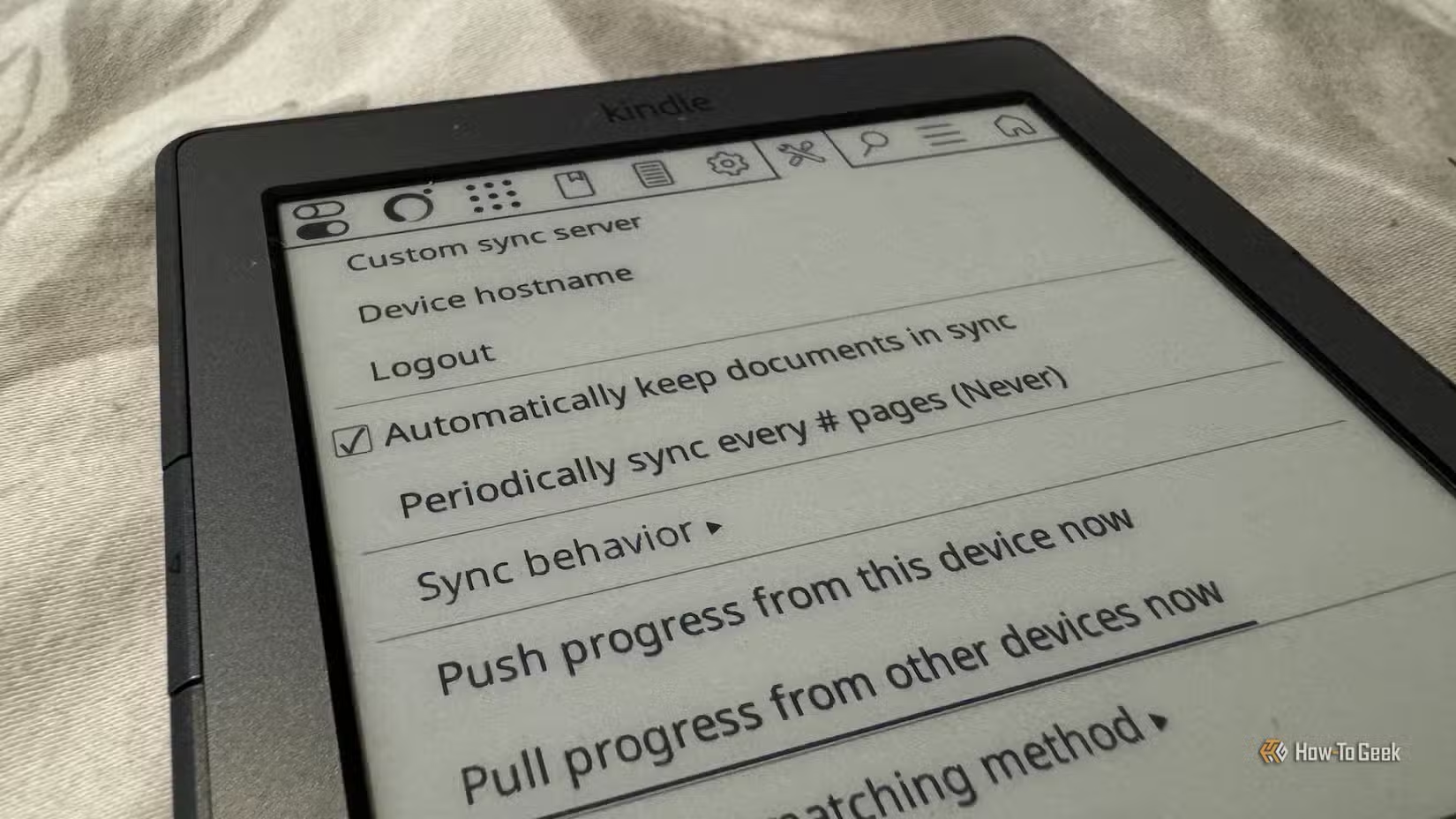
The problem with using multiple eReaders is that if you’re reading one book, they quickly get out of sync. You can solve this problem by running the KOReader Sync Server software on your Raspberry Pi. As long as all the devices have the same eBook downloaded, each eReader can upload its current reading position to the server.
When you switch to a different device, you can download your current reading position from the server and continue reading from where you left off on the previous device.
You can save articles to read later on your Kindle
Your Pi can help you set up a modern Pocket replacement
There are two key reasons why reading on a Kindle is a better experience than doing so on a phone. Firstly, the E-Ink screen is easier on the eyes than the glare of a phone screen. Secondly, a Kindle doesn’t offer the distractions of social media apps or games that a phone does.
That’s why I prefer reading articles from the web on my Kindle; they’re more comfortable to read, and I don’t get distracted as easily. Hosting a Wallabag server on a Raspberry Pi makes this simple to do.
Wallabag is a free and open-source read-it-later service similar to how the old Pocket app used to work. When you find an article online that you want to read, you can use an extension to save the article to your Wallabag server. You can then access the articles on the server from your Kindle.
KOReader has a Wallabag plugin built in, so once your server is set up, it’s easy to get the articles onto your Kindle. When you’ve finished an article, it can be archived on your Wallabag server on the Pi.
Build a distraction-free writing terminal
The Raspberry Pi does the work; the Kindle is the screen
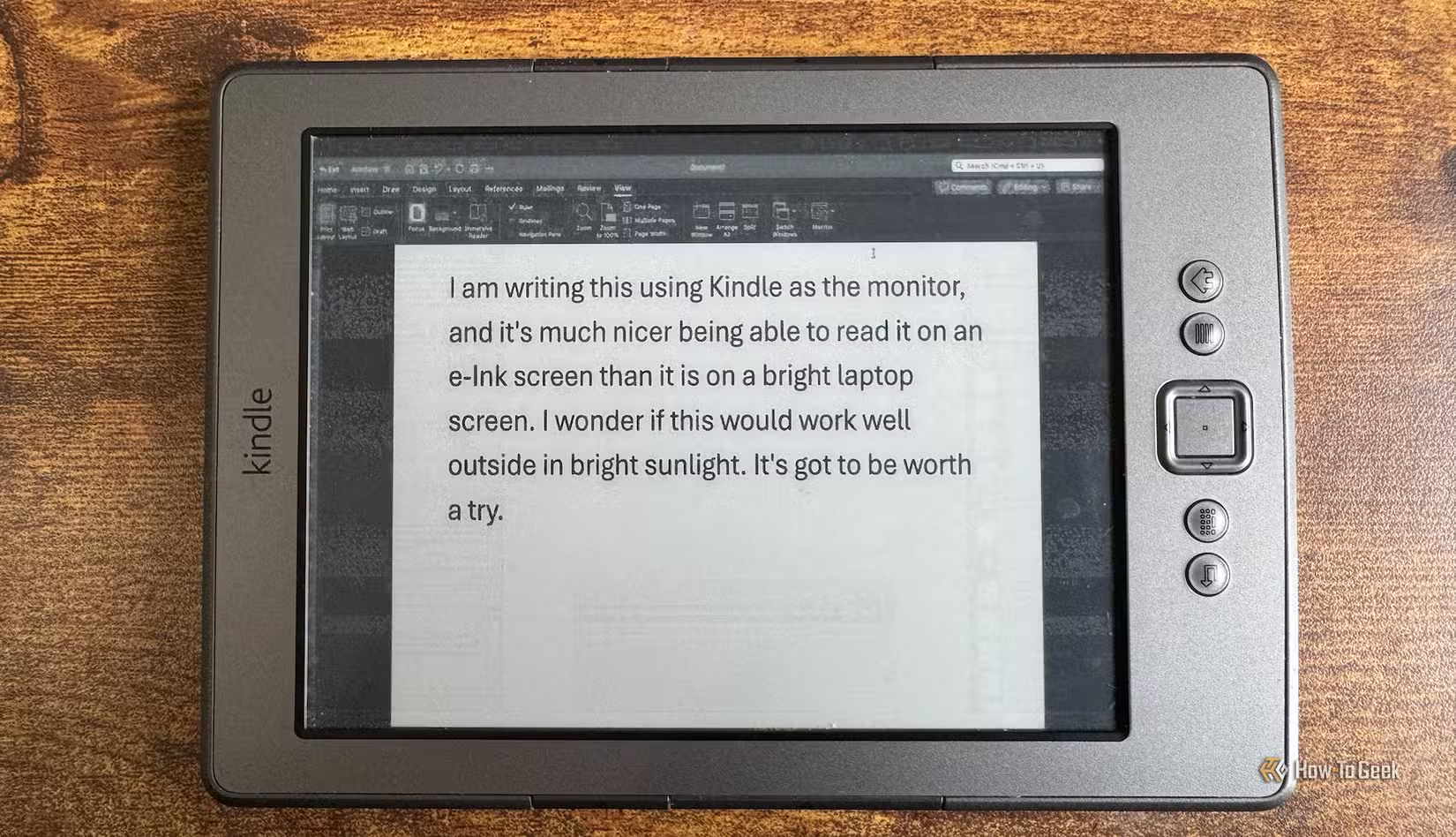
Just as reading articles on a phone gives you a source of distraction that’s hard to resist, writing on a laptop or desktop offers a lot of potential distractions. It’s all too easy to end up falling down a Google rabbit hole when you should be working.
You can solve this by using a Raspberry Pi and a jailbroken Kindle to build your own distraction-free writing terminal. You connect a keyboard to the Raspberry Pi over Bluetooth or a wired connection, and use USBNetwork and an app such as KTerm to connect to the Raspberry Pi over SSH from your jailbroken Kindle and display the Raspberry Pi’s terminal interface. You can then use command-line writing software running on the Pi, with everything you type appearing on your Kindle.
This setup doesn’t just stop you from accessing distracting apps or doomscrolling. It also makes it much easier to work outdoors, since the E-Ink display of your Kindle is far less susceptible to glare than a typical laptop screen.
A Raspberry Pi and a jailbroken Kindle are a great match
You don’t need a powerful computer to take advantage of your jailbroken Kindle. Even an older Raspberry Pi can be enough to run the software you need to make your Kindle even more useful. These projects can give an old Kindle a new lease of life.